How does 3D-printing work in The Maker Way?
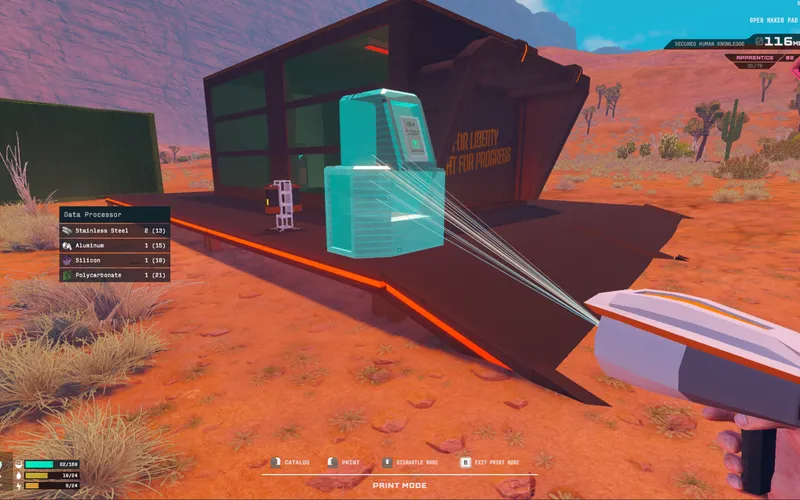
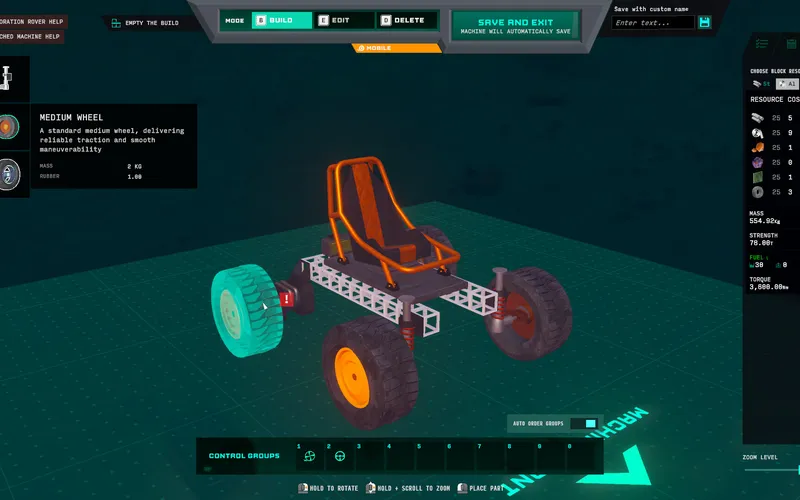
In The Maker Way, machines are not assembled bolt-by-bolt manually; instead, they are fabricated layer-by-layer using industrial 3D printers stationed at your outposts. Players design vehicles in the engineering interface, select which raw material stocks to allocate for the structural blocks, and transmit the finished blueprint to a field print bed. The printer draws resources directly from connected storage silos to construct the machine.
Material Selection at the Print Bed
A critical mechanic introduced in Demo version notes is the ability to choose block resources upon initiating a print job.
- Dynamic Mass Tuning: Fabricating a rover out of denser minerals produces higher armor ratings against robot fire but dramatically increases total weight.
- Flight vs. Armor Trade-Off: Flying drones require lightweight alloy blocks to achieve liftoff, while ground assault rigs can afford heavy composite plating.
- Resource Budgeting: If your primary metal reserves are depleted, you can substitute alternative harvested blocks to complete essential transport vehicles.
(Specific material density coefficients and exact print speed per block: 官方尚未公布 / Not yet announced)
The 3D-Printing Workflow
[ Engineering Design ] ---> [ Material Selection ] ---> [ Outpost Silo Feed ]
                                                                |
[ Operational Rover ] <--- [ Layer Fabrication ] <--- [ Print Bed Queue ]- Design Stage: Arrange engines, electronics, cockpit, and weapons onto a structural block frame.
- Resource Audit: Verify that connected base silos hold sufficient raw quantities of your chosen block material.
- Queue Print Job: Initiate fabrication at the printer console. The printer head moves along mechanical gantries, materializing the machine.
- Final Inspection: Fuel the tanks, charge the battery banks, and test drive the newly printed unit off the fabrication pad.
Recovering from Machine Wrecks
When an expedition goes wrong and your machine is destroyed in combat:
- Salvage Surviving Hardware: According to patch notes for Demo 3.0, wrecked machines remain in the field. You can salvage functional modules and residual cargo.
- Prefab Blueprint Storage: Stored vehicle designs allow one-click reprint orders once replacement resources arrive at the outpost.
- Fleet Management: Printing multiple copies of specialized scouts, miners, and haulers allows swift task switching.
Frequently Asked Questions
Can you 3D-print while out in the desert?
Field printing requires an anchored outpost printer equipped with a stable power grid and raw material feed. Mobile field repairs can fix localized damage, but entire chassis fabrication occurs at designated base print pads.
Do larger machines take longer to print?
Print duration scales with total block volume and complex mechanical fixtures. Exact fabrication timers and scaling formulas remain unpublished ahead of early access release.
Can you download community machine blueprints?
Steam Workshop support and external blueprint sharing features have not been officially detailed by developer Brave Games Inc. for initial launch.